Move camera
Move the camera during the simulation
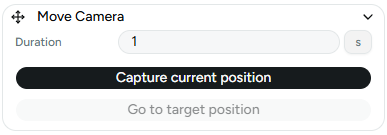
The Move Camera instruction moves the camera to a viewpoint recorded during configuration.
This instruction has two parameters:
- Target
- Duration
Target
The target defines the camera position and orientation to move to.
Use the Set camera target button while the viewport is framed as desired to capture that view.
Duration
The duration defines how long the transition takes from the current camera view to the recorded target view.
For more information about navigating the viewport, see Scene View.