Components
Learn how components work in ROBOTICA Studio
What are components?
Components are at the core of ROBOTICA Studio.
Studio follows a widely used approach adopted by leading 3D engines and simulation platforms. Instead of building "special" objects for every case, you build scene objects and add components to give them behavior and capabilities.
Once you learn components, you can build almost anything.
A scene object can contain multiple components. Each component adds a specific capability, and its behavior depends on how you configure it.
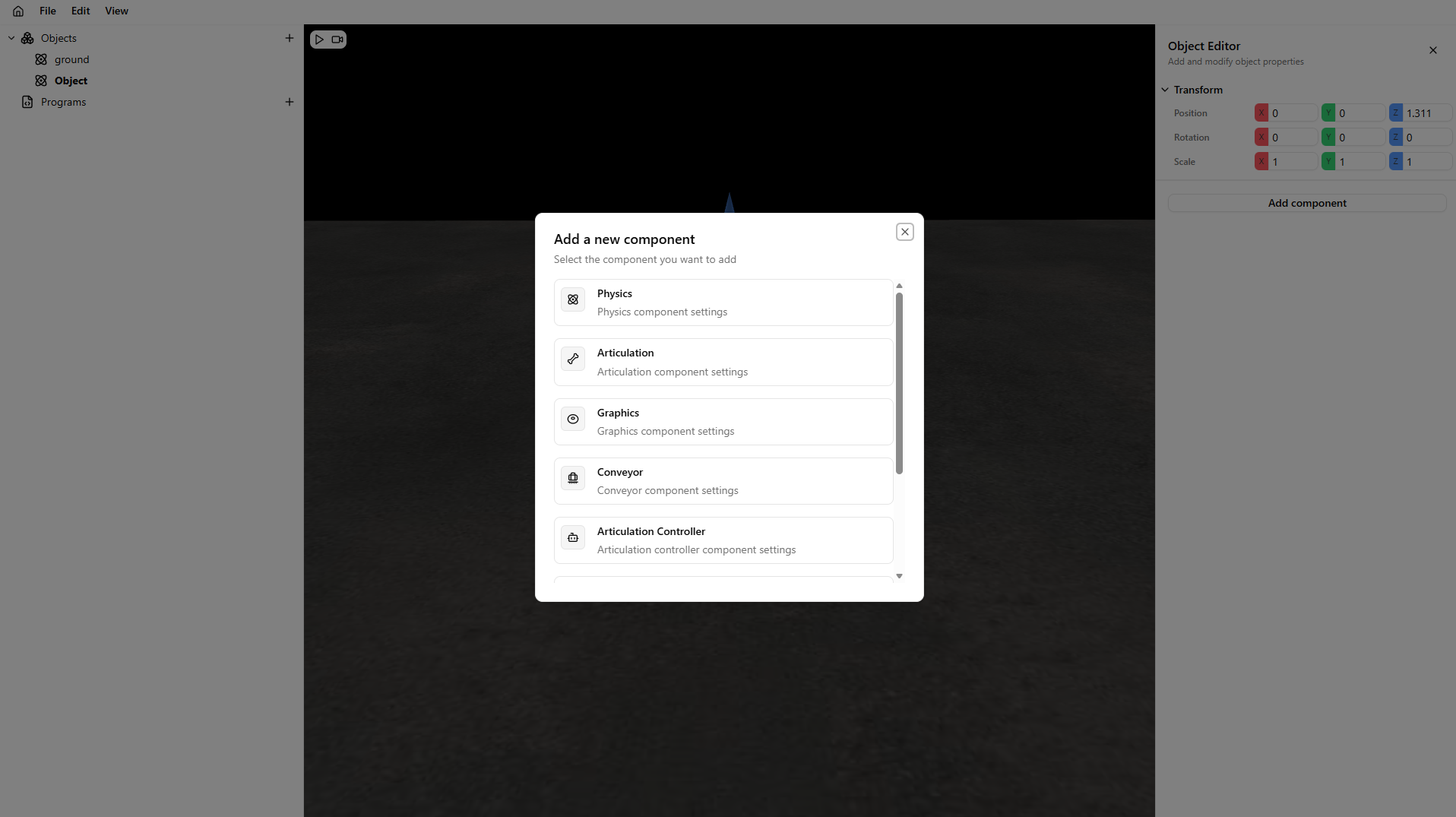
Adding a component
The procedure to add a component is as follows:
- Select the object you want to add a component to.
- The object editor shows up. Click Add Component.
- Select a component from the predefined list.
Available components
Currently, you can add:
- Transform: Present in all scene objects. Controls position and rotation in the 3D world.
- Graphics: Lets you assign a visual shape/material to an empty object.
- Physics: Adds collision properties to an object and enables dynamic interaction with other physics-enabled objects.
- Articulation Adds an articulation property so the object can be a revolute, prismatic, or fixed joint in a serial kinematic chain.
- Articulation Controller: Controls kinematic serial chains and robot properties such as joint positions, tool center point (TCP), and other key parameters.
- Conveyor: Creates a movable surface where you can define your own conveyor geometry and motion behavior.
- Sensor: Creates a sensor component that detects objects with a physics component attached.
- Vacuum: Enables attachment of dynamic objects using suction logic.
- Generator: Generates child objects at a configured interval.
- Destroyer: Removes generated dynamic objects in the scene on contact.
Warning
Some components depend on others. If a component requires complementary components, Studio displays a warning.