Signals
Use entity and global signals to connect component behavior.
Signals are at the core of how components interact and connect in a scene.
There are two types of signals:
- Entity signals
- Global signals
Signal types
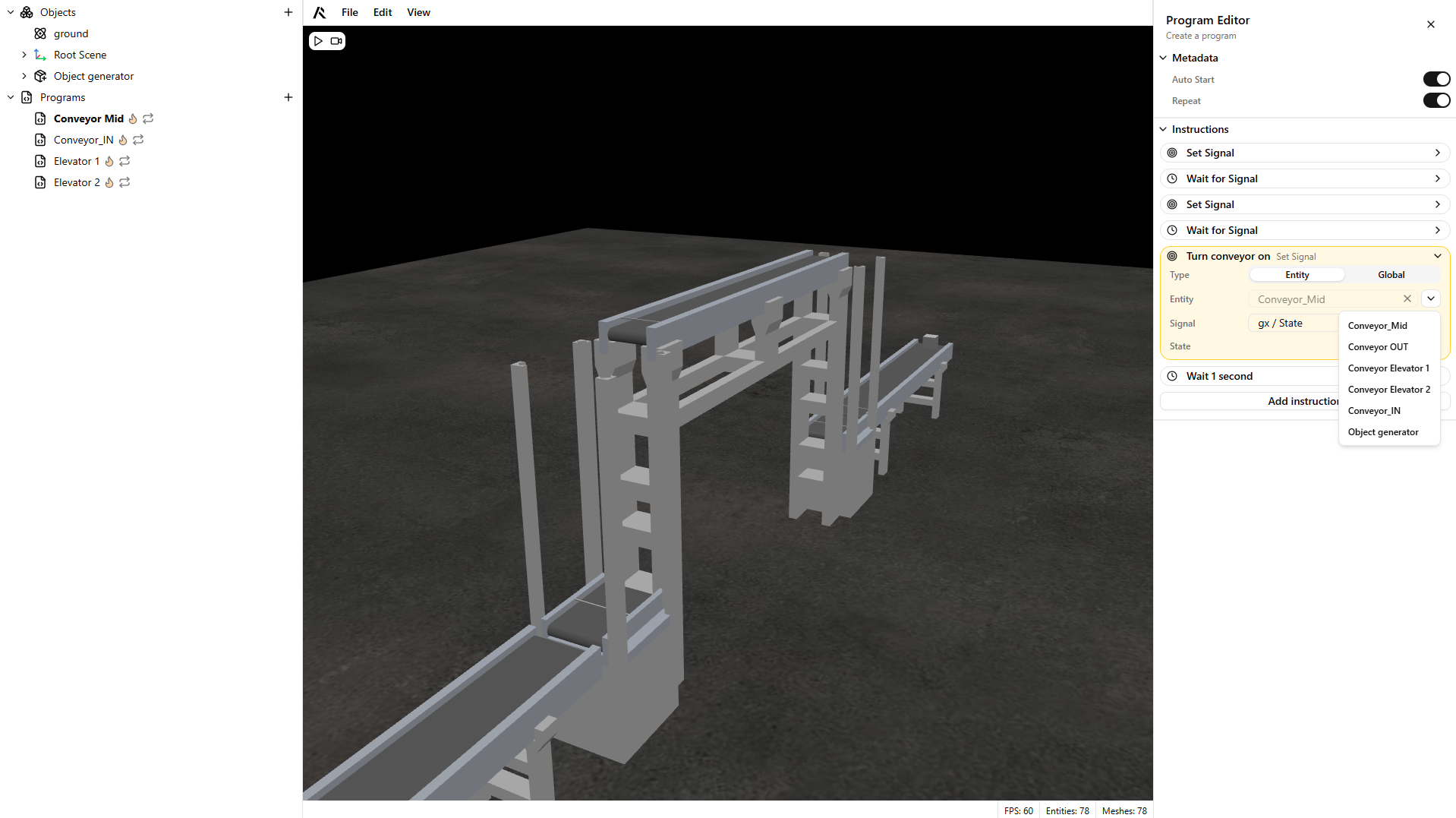
Entity signals
Entity signals come from components in the scene. For example, a sensor exposes a state signal.
For details on each component's signals, see the Components section.
Global signals
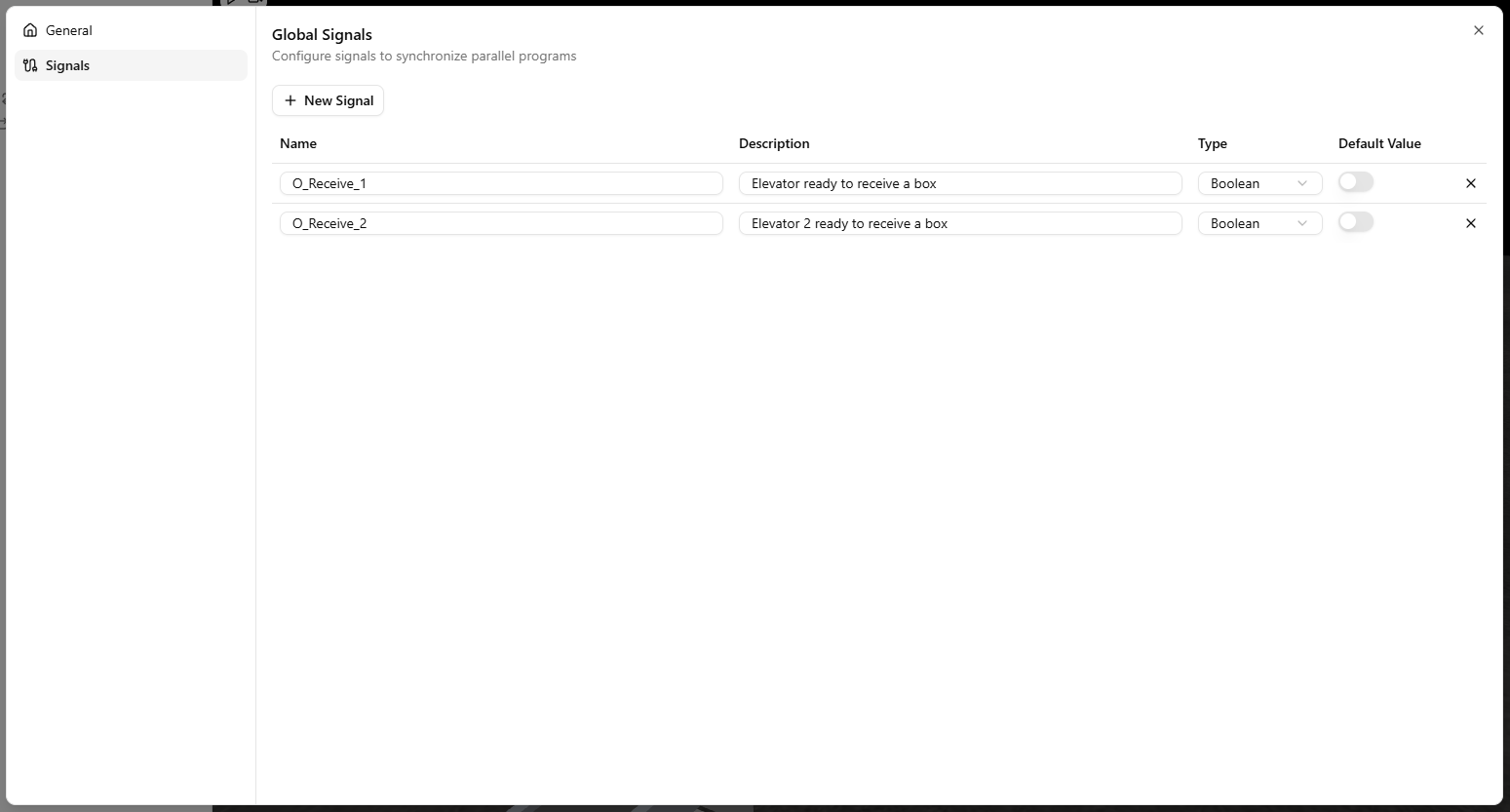
Global signals let you coordinate behaviors across the scene. They are configured in the application's Settings.
Each global signal has the following properties:
- Signal name
- Signal description
- Signal type: boolean, integer, or float
- Default value: the initial value of the signal
Warning
For example, if an axis should move only when a robot is in a safe position, use a global boolean flag to gate the axis motion.
Expressions
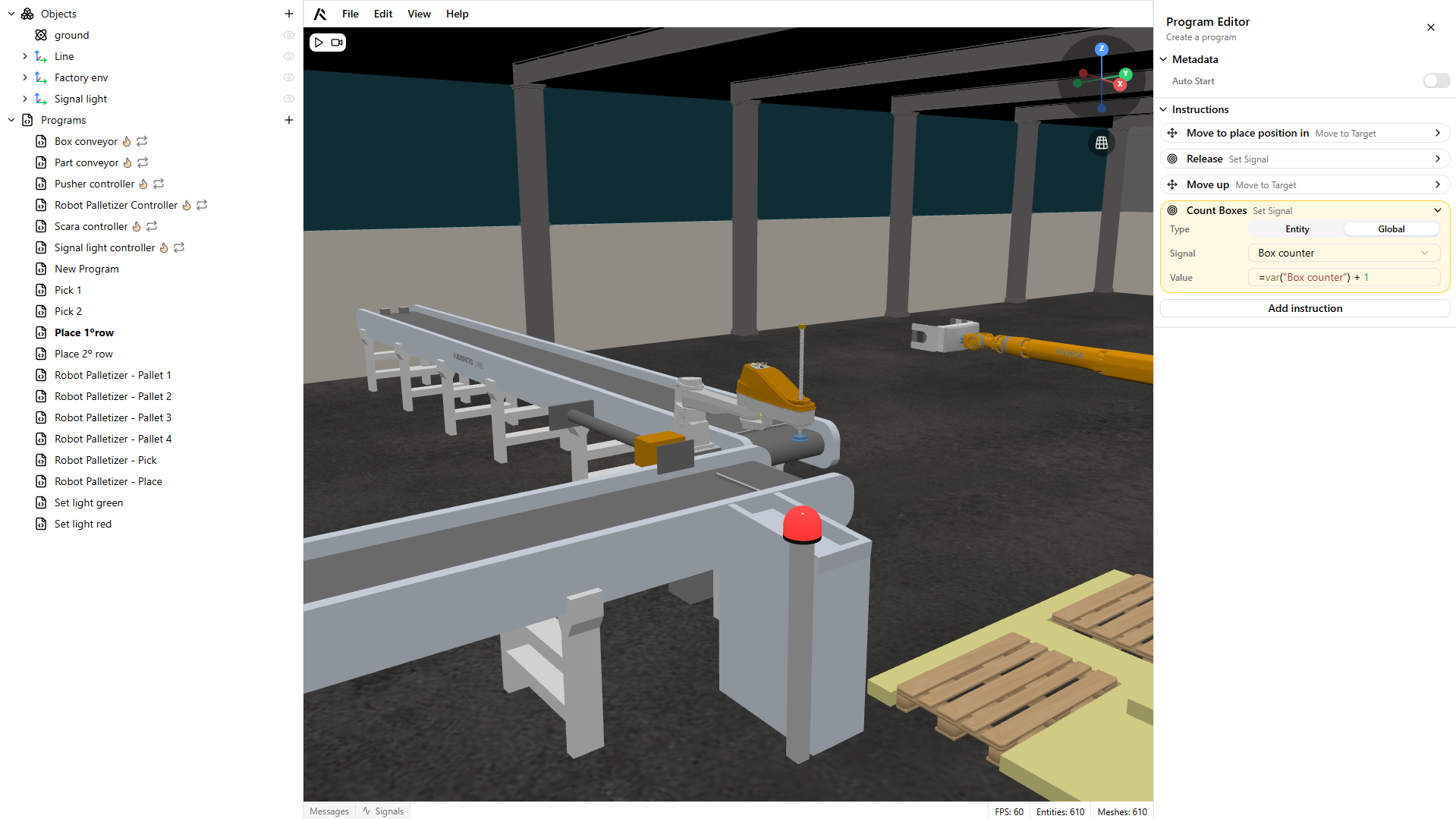
ROBOTICA Studio supports expressions for integer and float signals. Use expressions to calculate values dynamically, for example when incrementing a box counter.
An expression starts with a variable reference:
=var("signal_name")
You can then extend it with arithmetic operations, for example:
=var("box_counter") + 1
Warning
Expressions are supported only in the Wait, Wait for Signal, and Set Signal instructions.