Project Dashboard
Manage, create, and monitor your ROBOTICA Studio projects
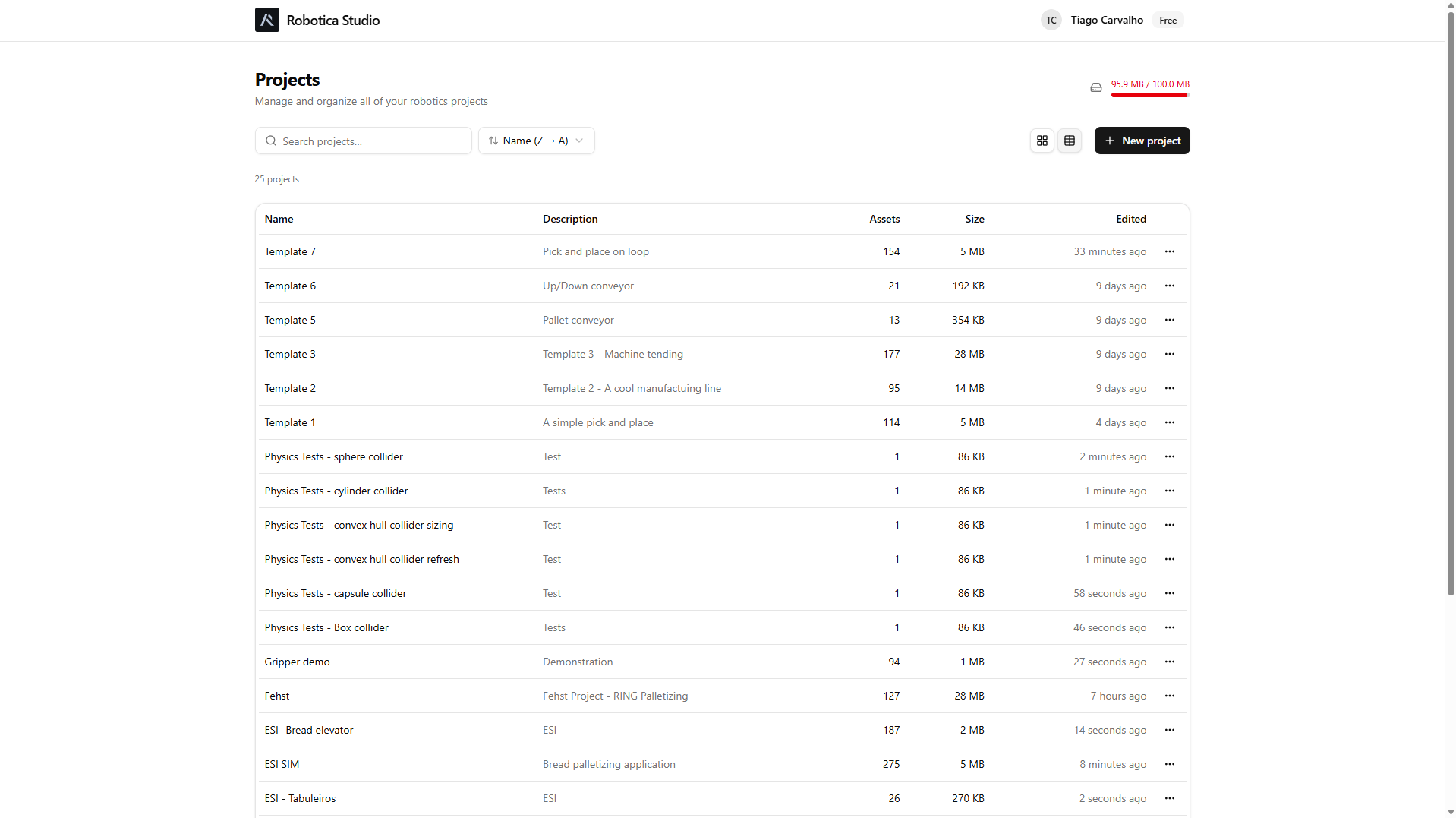
The project dashboard is where your projects are managed. From here you can access your project library, review project-related stats, create new projects, delete projects, and view account information.
Create a new project
Click New Project to open the scene editor and start building your automation systems.
Import an existing project
To import an existing project, first create a new project, then open a previously exported .zip file.
Delete a project
To delete a project, click the three-dot menu and select Delete. Deleted projects cannot be recovered.
Project metadata
The project metadata shows your project's basic data:
- Name
- Description
- Number of assets
- Size
- Last edited timestamp
Account information
Account information is located in the top-right corner. From there you can log in or log out and review your pricing plan.
You can also check your projects' disk usage, which varies by plan.