Sensor
Detect collisions and measure distances with sensor components
The Sensor component enables objects to detect interactions and proximity events in your scene. Use it to trigger actions when objects collide or when they come within a specified distance.
Properties
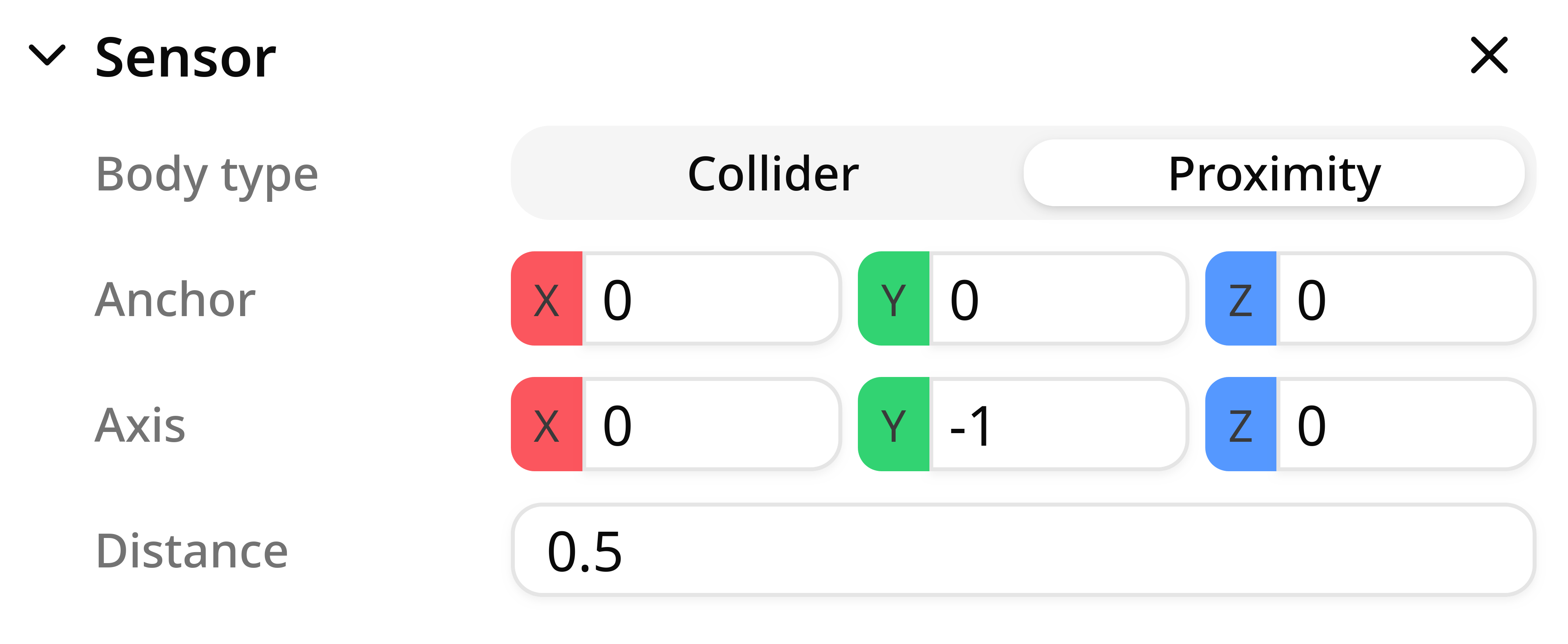
Type
The sensor type defines how detection is performed. There are two supported types:
- Collider: A collider sensor triggers when an object physically collides with its shape. The sensor uses the same collision detection as physics bodies to detect contact events.
Use it for
Detecting when parts enter a zone, triggering actions on contact, counting objects passing through an area.
- Distance: A distance sensor measures proximity along a specified direction from the anchor point. It triggers when an object comes within the configured trigger distance.
Use it for
Proximity detection, range finding, object detection at a distance, automated gates or doors.
Anchor
The anchor defines the reference point for the sensor. For distance sensors, this is the origin point from which the detection ray is cast.
Axis
For distance sensors, this parameter specifies the axis along which the sensor detects objects. The sensor will trigger when an object is detected within the trigger distance along this direction from the anchor point.
Trigger Distance
For distance sensors, the trigger distance defines how far the sensor can detect objects along the specified direction. Objects beyond this distance will not be detected.
Notes and best practices
- Collider sensors require objects to have physics components for collision detection.
- Consider the sensor's anchor position and direction carefully to ensure accurate detection.
Signals
The sensor component provides signals for you to use when programming your simulation.
Outputs
- state: the state of the sensor (detecting/not detecting)
- distance: the distance of a workpart from the sensor anchor
Use it for
The distance output is only available in proximity-type sensors.