Physics
Enable real-world physics behavior with gravity, collisions, and dynamic interactions
The Physics component enables real-world behavior in your scenes, such as gravity, collisions, and physical interaction between objects. Use it whenever you want a dynamic simulation (objects falling, bumping, sliding, being pushed, etc.).
Properties
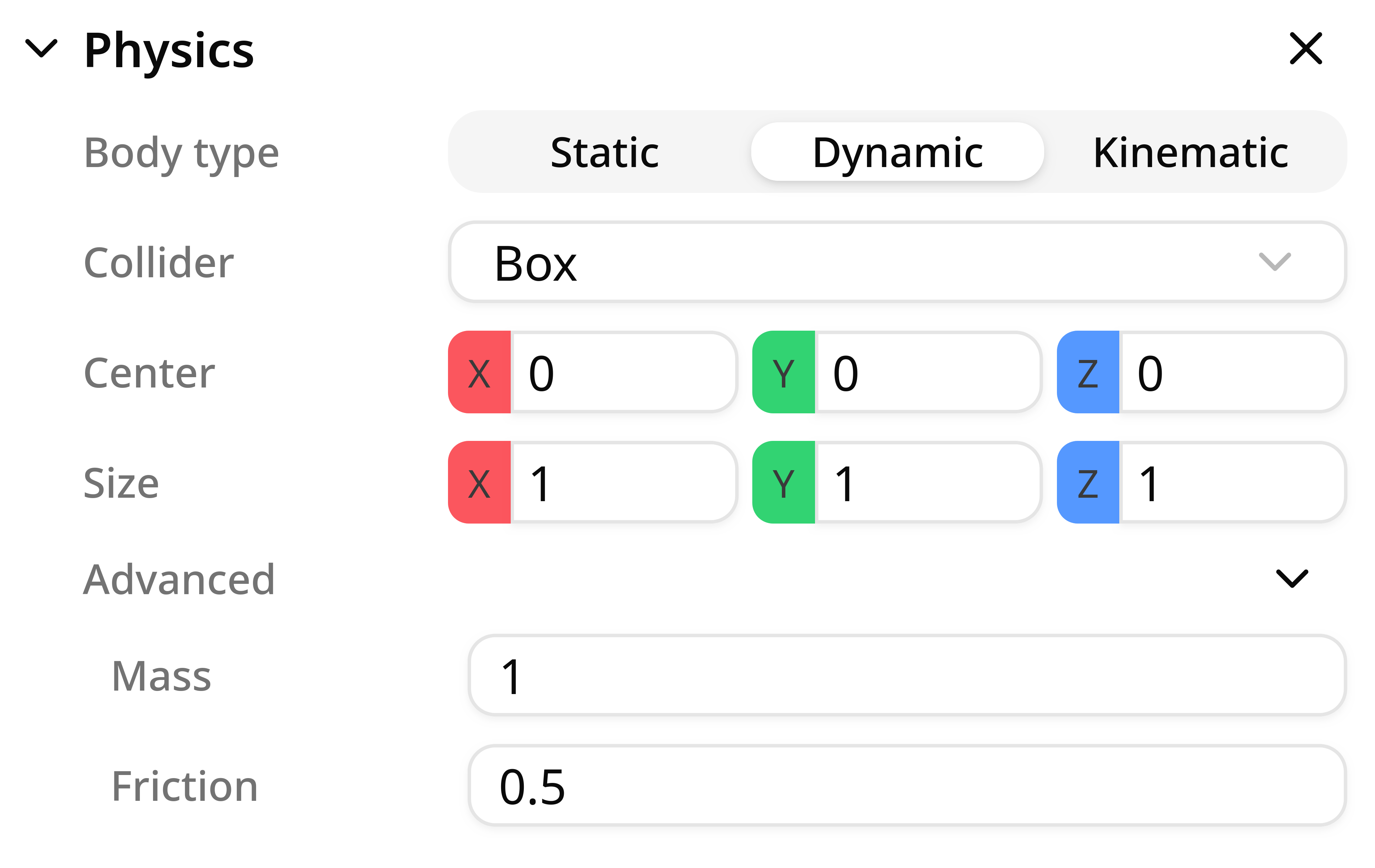
Body Type
The Body Type defines how the object will behave in the simulation, in other words, how the physics engine treats the object during simulation. There are two types of behavior: dynamic and static.
- Dynamic: a dynamic body is fully controlled by the physics engine and is affected by gravity and collisions. It moves only based on physical forces and contacts.
Use it for
Boxes, parts, products, anything that should realistically fall or be pushed.
- Static: A static body does not move and behaves as if it has infinite mass. It is not affected by forces or collisions, but other objects can collide with it.
Use it for
Floors, walls, fixed frames, ground planes, building structure, stoppers, conveyors.
Collider
A Collider defines the collision shape used for contacts and intersections in the physics engine. Colliders don't need to match the visual mesh perfectly; simpler shapes provide better, more stable performance.
- Box: A box-shaped collider around the object.
- Sphere: A spherical-shaped collider.
- Convex Hull: Creates a convex collision mesh that wraps around the object's visual mesh.
- Custom: Decomposes the visual mesh into multiple colliders to achieve higher-fidelity collision behavior.
Custom Colliders
Custom colliders use a mesh decomposition algorithm to approximate an object's shape. Use this feature when you need to have a very accurate physical behaviour of an object.
When you select a custom collider a window will open to start the decomposition process. There are three main accuracy settings:
- High – best geometric accuracy (more convex hulls), ideal for tight tolerances and detailed interaction
- Medium – balanced option for most scenes
- Low – faster generation and lighter colliders, best for large scenes and objects that do not need high fidelity collisions.
Decomposition time depends on mesh complexity and selected accuracy. After decomposition finishes, save the collider to apply the generated collision shape.
Advanced
Advanced properties let you tune contact behavior and body response more precisely, especially for dynamic bodies.
- Friction: In Studio, friction is exposed from
0to1. Lower values slide more, and higher values grip more. The effective contact friction is computed from both colliding bodies using a combine rule, so it is not always just one body's value. - Mass: Mass controls inertia (how hard it is to accelerate or rotate a body). Heavier bodies require larger forces or impulses to change motion and can transfer stronger collision impulses.
Stability tip
For articulated systems, avoid large mass ratios between connected dynamic bodies. Extreme ratios can cause jitter and instability.
Notes and best practices
- For heavy simulations, choose the simplest collider that gives acceptable results (Box and Sphere are usually the most stable).
- If an object should move naturally according to the laws of physics, set it to Dynamic.
- If an object should remain fixed, set it to Static.